
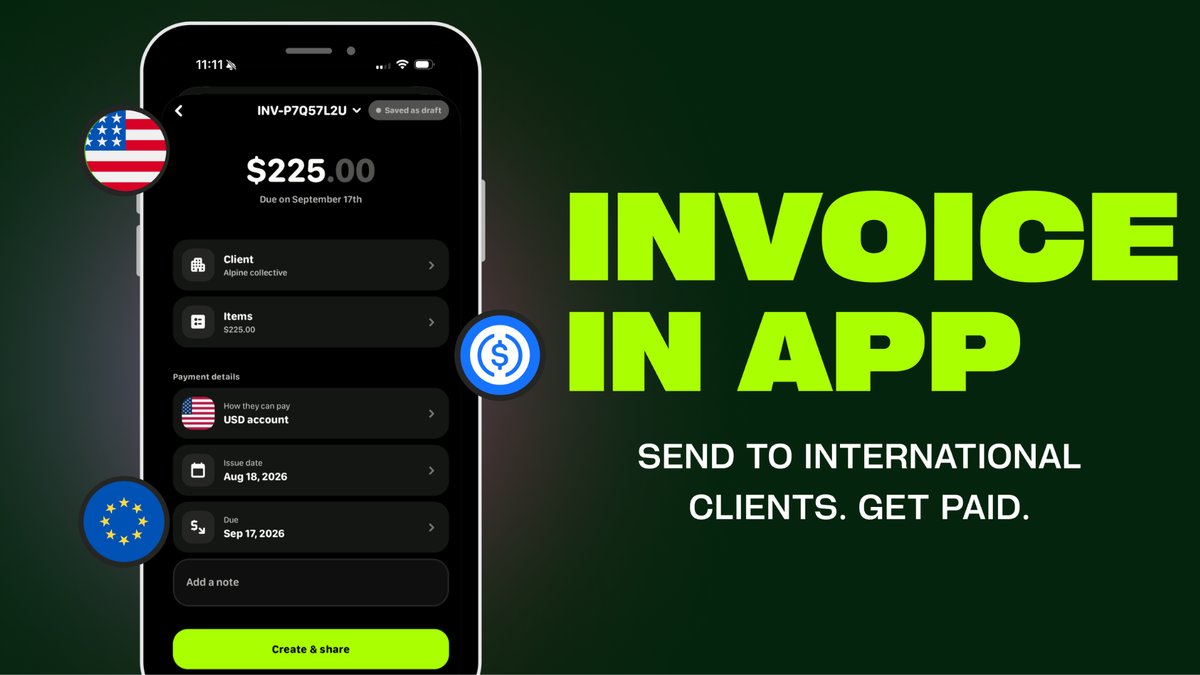
Quick answer: Invoicing an international client usually means two costs on top of your actual fee: a currency conversion when the payment lands, and whatever your invoicing tool or bank charges to move it. Getting paid into an account that already holds the client’s currency removes the first cost, and on Avvio there’s no fee to receive an invoice payment, so the second cost is gone too.
Most freelancers and small businesses invoice through one tool, get paid into a bank account through another, and check whether it landed through a third. Every hand-off is a place to lose time, and international payments add a currency conversion on top that eats into whatever you actually billed for.
Why does invoicing internationally cost more than it should?
Two separate things usually go wrong. First, if your invoicing tool or bank doesn’t hold the client’s currency, the payment gets converted somewhere in the chain, often at a rate you don’t see until after it lands. Second, many invoicing tools charge their own fee on top, separate from any bank fee, to actually move the money into your account. Neither cost is obvious upfront, which is exactly why it’s easy to lose track of how much you’re actually keeping.
What actually helps here?
The fix isn’t a cheaper invoicing tool, it’s removing steps. If you can hold the currency your client is paying in, there’s nothing to convert. If the invoice and the account it pays into are the same system, there’s no second fee for moving the money afterward. To understand holding and getting paid across currencies first, see our guide on multi-currency accounts.
| Approach | Currency conversion | Extra fee to move funds | Where you check if it’s paid |
|---|---|---|---|
| Separate invoicing tool + bank account | Usually yes, on landing | Often, on top of any bank fee | Two places |
| Invoicing tool with built-in multi-currency holding | Only if you choose to convert | Sometimes | One place, but tool and bank still separate |
| Invoice sent and paid from the same account (Avvio) | Only if you choose to convert | None, no fee to receive the payment | One place |
How Avvio helps
Create and send an invoice right from the Avvio app, no separate invoicing tool required. Once your client pays, it lands straight in your Avvio balance, in the currency you were paid in if you’re holding that currency already. There’s no separate app to check, and no fee to receive the payment.
Avvio is a financial technology company, not a bank. Accounts and custody are provided through licensed partners, and balances are not FDIC-insured.
If you are the one paying invoices across borders, the same fee logic applies in reverse: our international contractor payments guide and payout platform comparison cover that side.
Frequently asked questions
Do I need a separate invoicing tool if I use Avvio? No. Invoices can be created and sent directly from the Avvio app, and payment lands in your Avvio balance without a separate transfer step.
Does invoicing internationally always mean a currency conversion? Not if you’re holding the currency your client is paying in. If your account only holds one currency, any payment in a different currency gets converted, usually at a rate set by whichever provider is doing the converting.
Is there a fee to receive an invoice payment on Avvio? No. There’s no fee to receive an invoice payment on Avvio, the full amount your client pays lands in your balance.
Get paid without the extra steps
Invoicing internationally shouldn’t mean losing a slice to fees you can’t see coming. Download Avvio and send your first invoice today.